|
Chrisj CMA
|
 |
« on: December 18, 2011, 10:32:17 AM » |
|
This is our House with our Valkyrie in front. You can barely see the canoe filled with herbs Judy grows for me to cook with....  |
|
|
|
|
 Logged
|
|
|
|
|
Chrisj CMA
|
|
« Reply #1 on: December 18, 2011, 10:40:59 AM » |
|
This is one click brighter......I guess for computer use its going to depend on monitor settings too.....but I hate pictures that are too bright and washed out....opinions one over the other welcomed 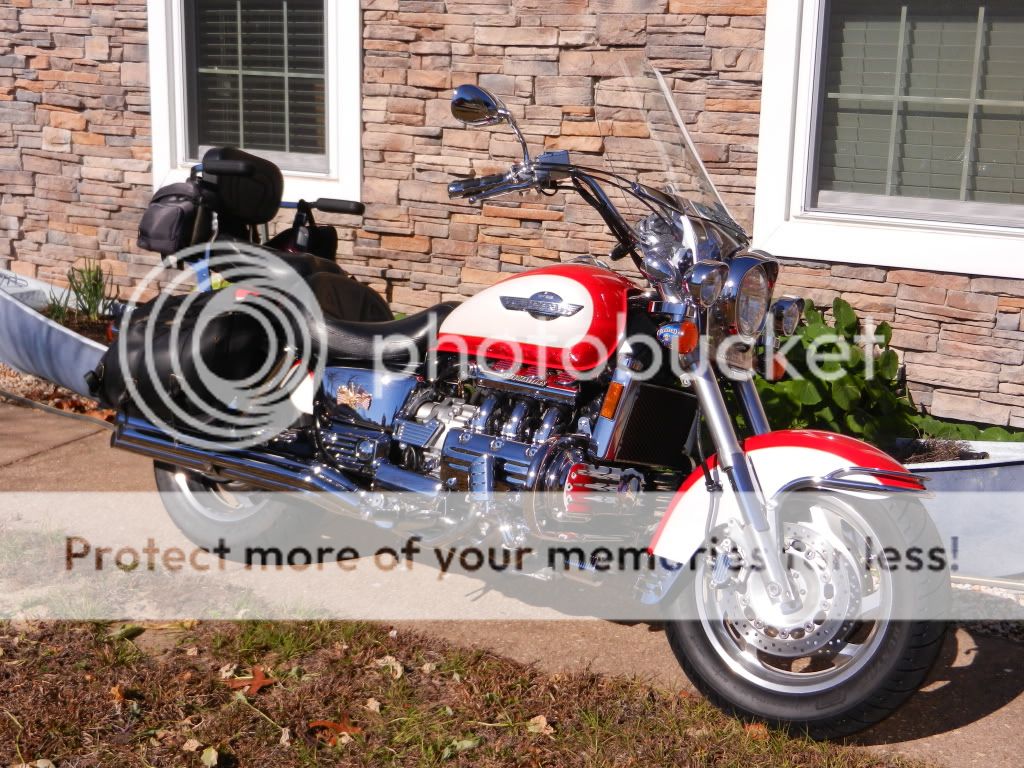 |
|
|
|
« Last Edit: December 18, 2011, 10:42:40 AM by Chrisj CMA »
|
Logged
|
|
|
|
|
solo1
|
|
« Reply #2 on: December 18, 2011, 11:07:13 AM » |
|
Chris, I have three digital cameras, two Canon APS size SLR's, four lenses, and a Canon Elph. I have yet to master some of the parameters on them. Now monitors are a whole new subject and the calibration of them. Printing pics to agree with the monitor, is another subject.
About your pics, your exposure meter might be getting fooled by the White on the Valk and the window frames as you're losing detail on the black bags. Try focusing on the bags and the Exposure meter should lighten up the whole pic and give you better detail. Try taking a lot of pics (film's cheap, LOL) and keep in mind your settings. you'll get onto it. Read and Reread the manual.
Keep in mind that the workings of digital cameras with all their settings, can give you about as many opinions and results as talking about the darkside and oil.
I just checked the specs on your camera. Good choice. It doesn't have much in the way of manual controls so it's simpler and better to use. Again, read the manual, it'll work great!
|
|
|
|
« Last Edit: December 18, 2011, 11:20:34 AM by solo1 »
|
Logged
|
|
|
|
|
Chrisj CMA
|
|
« Reply #3 on: December 18, 2011, 11:23:01 AM » |
|
Chris, I have three digital cameras, two Canon APS size SLR's, four lenses, and a Canon Elph. I have yet to master some of the parameters on them. Now monitors are a whole new subject and the calibration of them. Printing pics to agree with the monitor, is another subject.
About your pics, your exposure meter might be getting fooled by the White on the Valk and the window frames as you're losing detail on the black bags. Try focusing on the bags and the Exposure meter should lighten up the whole pic and give you better detail. Try taking a lot of pics (film's cheap, LOL) and keep in mind your settings. you'll get onto it. Read and Reread the manual.
Keep in mind that the workings of digital cameras with all their settings, can give you about as many opinions and results as talking about the darkside and oil.
I just checked the specs on your camera. Good choice. It doesn't have much in the way of manual controls so it's simpler and better to use. Again, read the manual, it'll work great!
Thanks.......I know I have to learn this thing.........I took a long time to leran my old Kodak one that was a "toy" compared to this........ |
|
|
|
|
Logged
|
|
|
|
|
|
|
alph
|
|
« Reply #5 on: December 19, 2011, 01:38:13 AM » |
|
I agree with wayne, the second picture shows more detail on the black parts of the cycle, example; look at the design on the back rest. we have a cannon EOS digital T3i, there's so many settings on it, and my memory is sliding down hill so much i've got to re-read the owners manual everytime i want to use it!! camera's are so excellent now adays! the only bad thing with digital is you get quantity over quality sometimes! but you don't have to buy film anymore!!  BTW, Dream maker, cool pictures!! here's a picture of a flying fish i took with our camera when on a vacation in the Gulf; (mind you, i was about 50' away from the fish using a 75-300mm lens, also this picture was cropped and zoomed in)  this picture is untouched;  here's the Skyway bridge at 3 am; (taken with a 18-55mm, and two second exposure, on a moving ship!)  this one is with a one second exposure;  |
|
|
|
|
Logged
|
Promote world peace, ban all religion. Ride Safe, Ride Often!!  |
|
|
|
solo1
|
|
« Reply #6 on: December 19, 2011, 06:32:19 AM » |
|
Nice pictures! Here's a pic that I took from the balcony at Inzane this year. Canon 40D, Sigma lens at 250mm. I had to take a number of quick shots to get the right exposure. 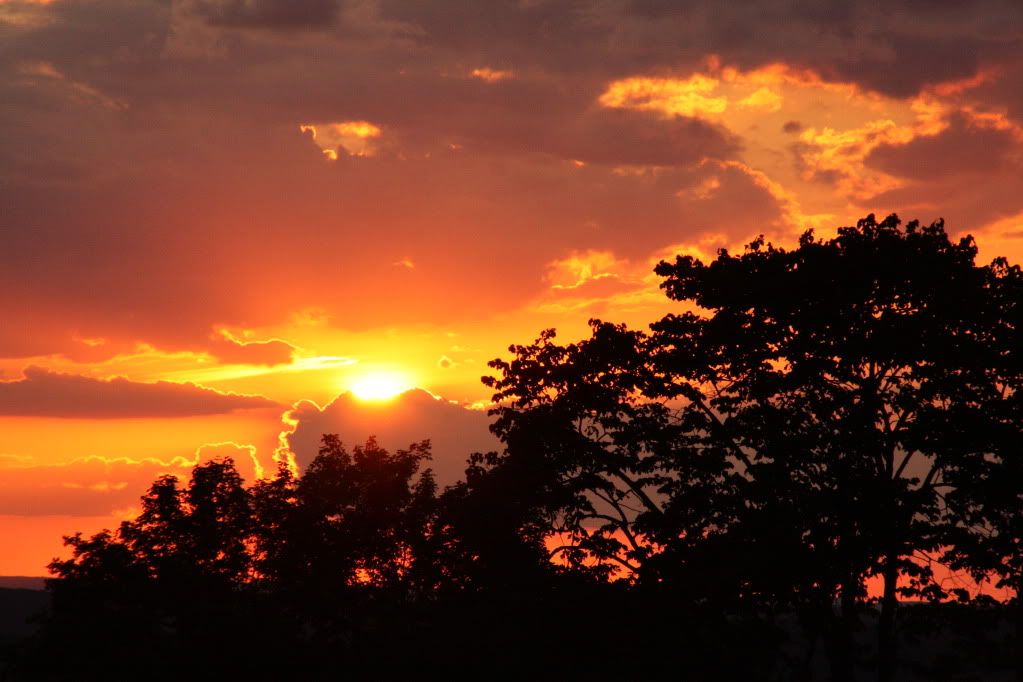 |
|
|
|
|
Logged
|
|
|
|
|
Chrisj CMA
|
|
« Reply #7 on: December 19, 2011, 06:33:21 AM » |
|
Were getting there.......its all a matter of anlge to the sun when chrome is involved.........and red and white are hard to capture Im finding............See they are the fastest bikes 12.1 megapixle cant even catch it  |
|
|
|
|
Logged
|
|
|
|
|
alph
|
|
« Reply #8 on: December 19, 2011, 06:36:22 AM » |
|
nice pictures!! wayne, i stold your shot! it's set as my screen saver now!!! |
|
|
|
|
Logged
|
Promote world peace, ban all religion. Ride Safe, Ride Often!! |
|
|
|
solo1
|
|
« Reply #9 on: December 19, 2011, 06:46:24 AM » |
|
Chris, much better exposure. looks good! Keep an eye on the ISO setting tho. sometimes the shutter is too slow and you get blurring. Increasing the ISO setting will help. Read your manual. Alph I've been using the same pic for a screensaver here also. oNe more pic. This was taken in 2010 in Inzane, again from the balcony. Stuck on sunsets.  I had to go to f16 to get the slight appearance of the sun's rays. 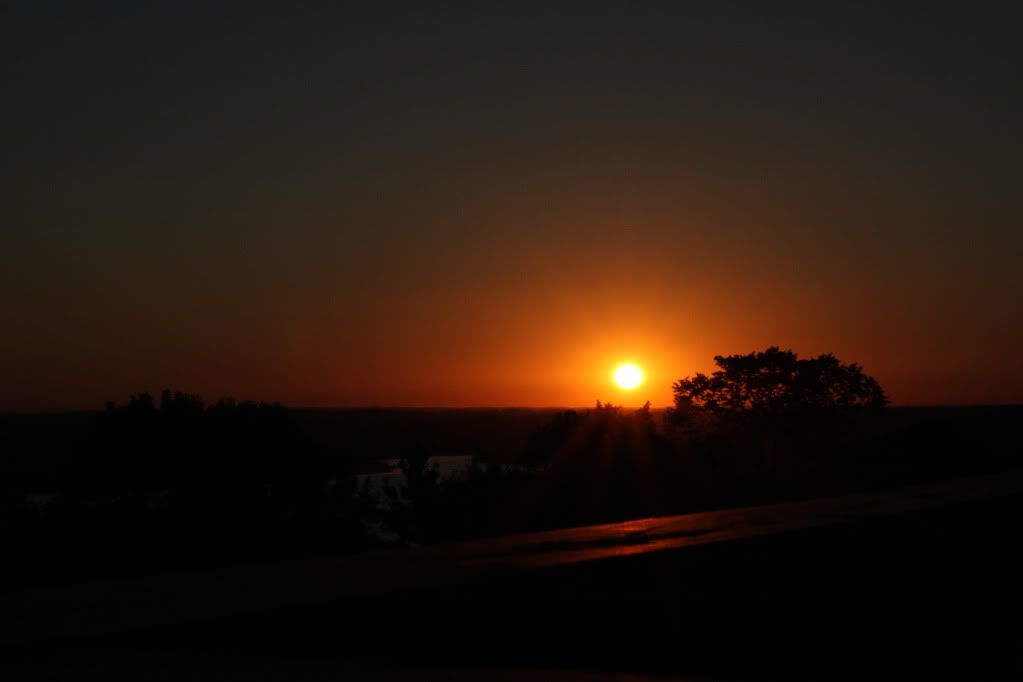 |
|
|
|
« Last Edit: December 19, 2011, 06:59:12 AM by solo1 »
|
Logged
|
|
|
|
|
alph
|
|
« Reply #10 on: December 19, 2011, 07:21:35 AM » |
|
chris, do you use a filter? maybe, try a polorized filter, that'll get rid of glare. i've got a UV filter, that makes a difference too. here's my sunset photo, nothing too special.  |
|
|
|
|
Logged
|
Promote world peace, ban all religion. Ride Safe, Ride Often!! |
|
|
bigguy
Member

Posts: 2684
VRCC# 30728
Texarkana, TX

|
|
« Reply #11 on: December 19, 2011, 07:51:55 AM » |
|
 iPhone 3G F-Stop f/2.8 Aperture value f/2.8 Date: 12/15/2010 Time: 5:22 pm Direction SSW approx 205° Input Levels correction in PhotoShop:  +++++++++++++++++++++++++++++++++++++++++++++++++++++++++++++++++  iPhone 3G F-Stop f/2.8 Aperture value f/2.8 Date: 6/5/2010 Time: 11:03 am Direction: Unknown. Most probably aimed from the east side of Hwy 7 PhotoShop Corrections:  |
|
|
|
« Last Edit: December 19, 2011, 08:17:03 AM by bigguy »
|
Logged
|
Here there be Dragons.  |
|
|
|
solo1
|
|
« Reply #12 on: December 19, 2011, 08:38:14 AM » |
|
Looks like a white 'spike' on the histogram. Very nice though!
|
|
|
|
|
Logged
|
|
|
|
|
Chrisj CMA
|
|
« Reply #13 on: December 19, 2011, 09:27:18 AM » |
|
Chris, much better exposure. looks good! Keep an eye on the ISO setting tho. sometimes the shutter is too slow and you get blurring. Increasing the ISO setting will help. Read your manual. Alph I've been using the same pic for a screensaver here also. oNe more pic. This was taken in 2010 in Inzane, again from the balcony. Stuck on sunsets. I had to go to f16 to get the slight appearance of the sun's rays. Thanks Solo...Ill check into that ISO thing |
|
|
|
|
Logged
|
|
|
|
bigguy
Member
Posts: 2684
VRCC# 30728
Texarkana, TX
|
|
« Reply #14 on: December 19, 2011, 09:35:10 AM » |
|
Looks like a white 'spike' on the histogram. Very nice though!
Yep. That would be that cloud in the upper right hand corner. Nothing in that region of the photo to salvage, so I just let it go. I was impressed with it from an iPhone. Obviously there are limitations. With such a small objective, you're only going to capture so much light, so you can forget anything dimly lit. And, with a 3-megapixle CCD, detail will be limited. But given the right circumstances, it can take a decent photo. I included the PhotoShop settings because the photos were sightly tweaked. Those were not representative of right out of the camera photos. But you've got to have something to work with, even in PhotoShop. These are slightly tweaked photos, not digital paintings. |
|
|
|
« Last Edit: December 19, 2011, 09:39:06 AM by bigguy »
|
Logged
|
Here there be Dragons. |
|
|
|
solo1
|
|
« Reply #15 on: December 19, 2011, 10:35:44 AM » |
|
Great pics especially for a cell phone. My two Canons are only 8.3 and 10.0 mpxls but that's ok. It gives me less noise at the higher ISO settings.
|
|
|
|
|
Logged
|
|
|
|
|